
|
Molinspiration SMILES Depiction |
Molinspiration Depiction software allows generation of high-quality molecule images in png format from a Daylight SMILES string or MDL Molfile. The program may be used either from a command line as described below, or be incorporated into a cgi script or a servlet to generate depictions of molecules in various interactive cheminformatics web services.
You may see the Molinspiration Depiction in action by entering SMILES to depict into this interface.
The program is started by a command:
java -jar depiction.jar -smi 'smiles' | -f file [-options] > image.png
where the 'file' is a MDL Molfile or a file containing single SMILES string
Options are used to set-up various image parameter:
-x imageWidth -y imageHeight determine size of the image
-bw black-and-white image will be generated
-blackbg image with black background will be generated
-border a border around image will be rendered
-text 'infoText' text information will be added to the image
-cg common functional groups will be collapsed (useful when rendering large complex molecules)
-new when rendering molecule from Molfile new geometry will be generated from connectivity (otherwise 2D coordinates from the source Molfile are used)
-transp generates molecule image with transparent backgrund, allowing to change background programatically with JavaScript
-aab changes the default depiction of aromatic rings with inner "cicles" to display with alternating single and double bonds (see example below)
Also highlighting of various parts of the molecule (atoms, bonds, rings) is possible. This feature is still in beta, so if you are interested, please contact us for details.
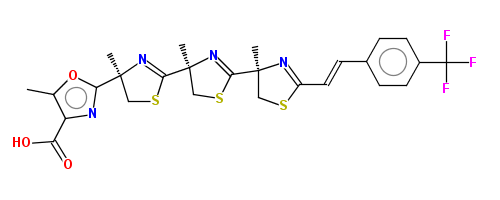 |
Standard depiction | |
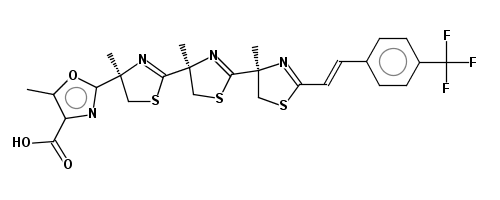 |
Parameter -bw used | |
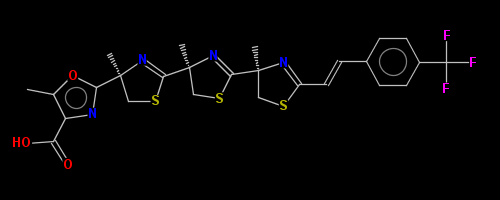 |
Parameter -blackbg used | |
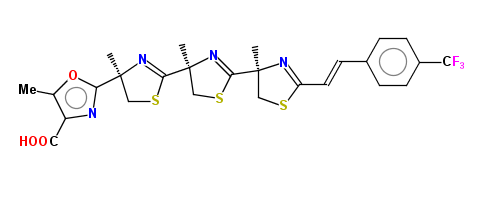 |
Parameter -cg used (collapse groups) |
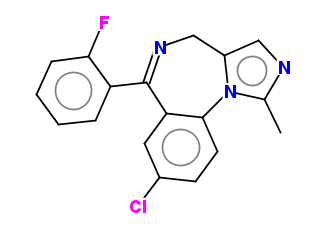
Default depiction of aromatic rings (inner circles) |
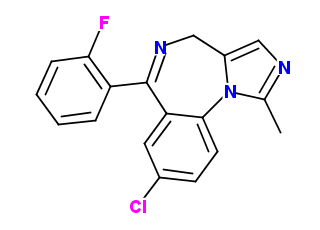
Depiction with alternating single and double bonds |
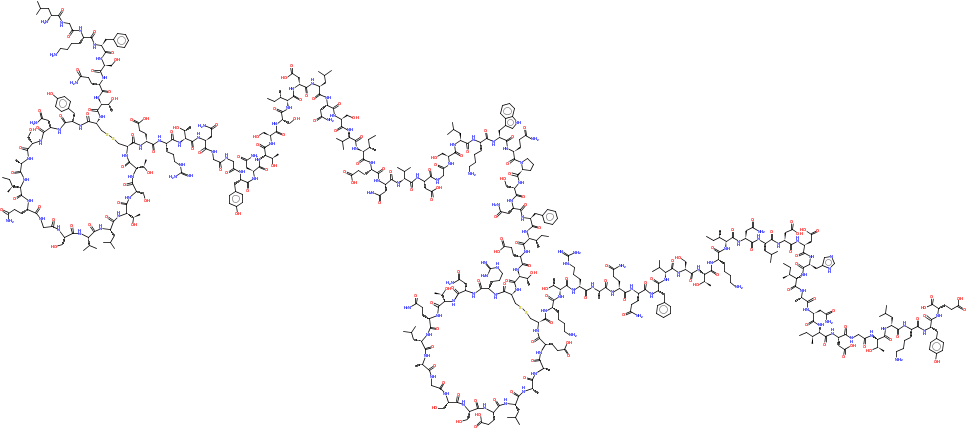
The Molinspiration Depictor is able to process also larger molecules, including complex natural products. See depiction of Cyanovirin from SMILES string below as an extreme example.
Contact Molinspiration at info[at]molinspiration.com for more information about the Molinspiration Depiction software.